

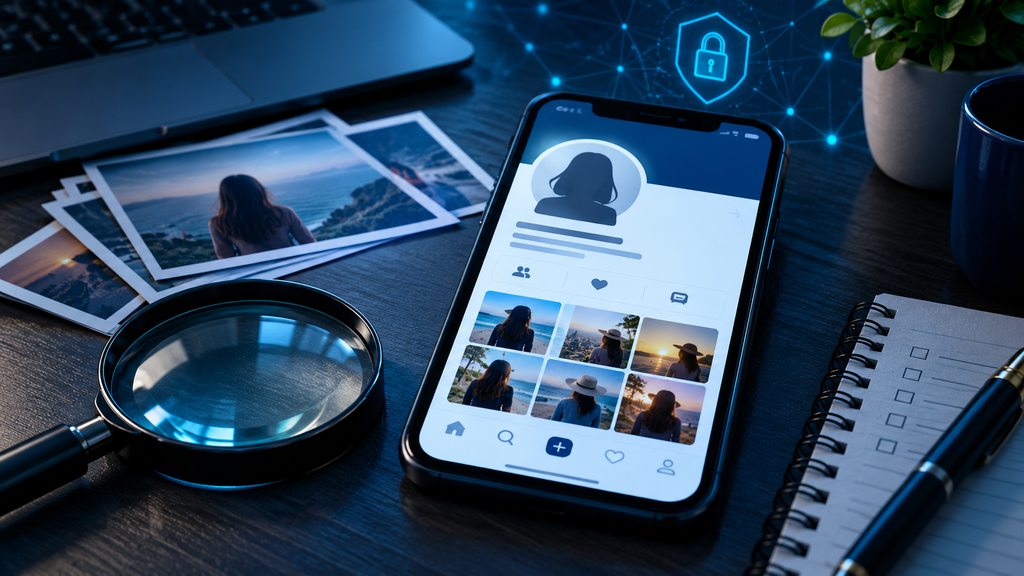
Someone Created a Fake Profile Using My Photos: How to Trace Impersonation, Preserve Evidence, and Get the Account Reported
Discovering that someone has created a social media or dating profile using your photographs can be deeply unsettling. The account might use your name, copy your biography, reuse personal images, or communicate with people as though it represents you. In some cases, the person behind the profile may ask strangers for money, send inappropriate messages, promote fraudulent investments, or damage your reputation.
The immediate reaction is often to demand that the account be removed. That is understandable, but there is another important step: preserve the available evidence before the profile disappears.
A fake account can be deleted, renamed, or made private. Messages may vanish, and other people may have already interacted with it. A careful record of what happened can help with platform complaints, law enforcement reports, and a professional digital investigation.
At Cyb3rsect, we look at online impersonation as both an identity-protection problem and a digital evidence problem. This guide explains how to respond, what information may help trace an impersonating account, and where the limits of an investigation begin.
What Does Social Media Impersonation Look Like?
Online impersonation occurs when someone uses another person’s identity or identifying material in a way that misleads others about who is operating an account.
Common examples include:
- Creating a Facebook or Instagram account using your name and photographs.
- Copying your dating profile and contacting people who believe they are speaking with you.
- Reusing your photographs on marketplace or classified-advertising accounts.
- Creating a profile that pretends to represent your business or professional identity.
- Using your image to promote cryptocurrency investments, fake giveaways, or other questionable offers.
- Contacting your friends, colleagues, or customers while pretending to be you.
Not every account that uses a similar name or image is necessarily malicious. Parody, commentary, fan accounts, and legitimate image use can involve different circumstances. The important questions are whether the account is misleading people, violating platform rules, infringing rights, or being used to facilitate harmful conduct.
The distinction matters when preparing a report. Describe what the account actually does rather than relying only on labels such as “fake” or “fraudulent.”
A Scenario: When Your Photographs Start Appearing on Someone Else’s Profile
Imagine that you receive a message from someone you have never met. They ask why you have been contacting them about an investment opportunity.
You investigate and discover an unfamiliar account using your profile photograph, several images from your public social media page, and a slightly altered version of your name. The account has already sent messages to multiple people.
You report the profile immediately, but before the platform reviews the complaint, the account changes its username. A friend sends you a screenshot, while another person says the account has disappeared.
You now have several separate pieces of information: the original profile, the changed username, messages sent to other people, and photographs copied from your account.
The challenge is to preserve these details in a way that shows what happened, when it happened, and how the different pieces relate to one another.
That is why evidence collection should happen as early as possible.
Step 1: Preserve the Fake Profile Before Reporting It
If the account is still accessible, record the information you can see before submitting a report.
Start with the profile itself:
- Full profile URL.
- Display name and username.
- Profile photograph and cover image, where applicable.
- Public biography and other identifying descriptions.
- Visible posts, comments, and photographs.
- Public contact details or links included in the profile.
- Any claims that the account represents you, your business, or another organization.
Capture screenshots showing the account in context. Where practical, make a screen recording that begins with the profile page and shows the relevant posts or messages. Include the date and time of your capture in your evidence log.
Do not crop or edit your only copy of an original screenshot. If you need a version with private information obscured for sharing, create a separate copy and retain the original.
A useful evidence log might look like this:
| Evidence item | Details to record |
|---|---|
| Profile URL | The complete link to the account |
| Username | Exact spelling, including punctuation |
| Display name | Name shown on the profile |
| Date discovered | When you first found the account |
| Screenshots | Original, unedited captures |
| Messages | Relevant conversations and sender details |
| Witnesses | People who received or saw the account’s messages |
| Changes | Username, profile image, or content changes |
If the profile disappears, retain the evidence already collected. A missing account does not make the original screenshots or messages irrelevant.
For more guidance, see Cyb3rsect’s article on digital evidence preservation.
Step 2: Preserve Messages and Contact Attempts
A fake profile may be more than a copied photograph. Its messages can reveal how the account is being used.
Preserve direct messages, emails, comments, and reports from people who interacted with the account. If someone tells you that the impersonator requested money or personal information, ask them to retain their original conversation rather than forwarding only a cropped screenshot.
Useful information can include:
- The date and time of each message.
- The account or username that sent it.
- The complete message text.
- Any payment requests or external links.
- Claims made about your identity.
- Whether the sender attempted to move the conversation to another platform.
- Any threats, harassment, or attempts to pressure the recipient.
Avoid encouraging people to engage with the account to obtain more information. Do not ask them to click suspicious links, send money, or share personal details.
If a person has already made a payment, they should contact their bank or payment provider promptly and report the incident through the appropriate channels.
Step 3: Check Whether Your Photographs Have Been Reused Elsewhere
A photograph appearing on a fake profile may have been copied from a public social media account, an old website, a professional biography, or another online source.
Reverse-image search can help identify publicly accessible copies of an image. Depending on the service and image, it may reveal:
- Other websites displaying the same photograph.
- Older profiles using the image.
- Public advertisements or listings.
- Copies of the image with different cropping or compression.
- Pages that may help establish where the image has appeared.
Try more than one search service where appropriate. A result that does not appear in one search engine may appear in another.
However, reverse-image search has important limitations. It cannot reliably identify the person who uploaded the image, establish who controls an account, or prove that two accounts are operated by the same individual.
It is also important to distinguish between finding an image and proving its origin. A search result may show where a photograph is publicly visible today, not where it was first published.
What About Photo Metadata?
Original photographs may contain metadata, including the date a picture was taken or information about the device used. But many social platforms remove or alter metadata when images are uploaded.
Therefore, a downloaded copy of a photograph from a social media profile may not contain the original information.
If you still have the original image, preserve it separately. Do not rely on metadata alone to establish who uploaded a copy or when an impersonating account was created.
Step 4: Report the Impersonating Account Through Official Channels
Once you have preserved the available evidence, submit a report using the platform’s official reporting process.
Most major platforms provide ways to report accounts that pretend to be another person. The exact forms and menu labels can change, so use the platform’s current Help Center or in-app reporting options.
For example:
- Instagram and Facebook: Use the reporting options available through the profile or the official Meta Help Center. Explain that the account is pretending to be you and provide the requested information.
- TikTok: Its Help Center includes guidance for reporting an impersonation account. See TikTok’s official safety and reporting resources.
- Other platforms: Look for the official impersonation, identity misuse, harassment, or privacy reporting process.
When submitting a complaint, keep the explanation factual. Include the fake account’s URL, username, screenshots, and a concise description of how it is misleading people.
If the platform asks for identity verification, submit documents only through its legitimate official process. Be cautious of third parties claiming they can remove an account if you send them identification documents or account credentials.
Keep a record of the report confirmation, reference number, date submitted, and any response you receive.
A platform decision to remove an account can help limit further harm, but it does not necessarily identify the person responsible or preserve all information that may be relevant to a separate investigation.
Step 5: Secure Your Own Accounts
Impersonation does not automatically mean that your personal account has been hacked. Someone may simply have copied information that was publicly visible.
Nevertheless, check your account security, particularly if the impersonator appears to know private details or has accessed material that was not publicly available.
Review the following:
Password security: Change passwords that are reused across services. Use a unique password for each important account.
Multi-factor authentication: Enable MFA, preferably using an authenticator app or security key where supported.
Login activity: Review recent sessions, devices, and login alerts. Sign out of sessions you do not recognize.
Recovery details: Check that your email address and telephone number have not been changed.
Connected applications: Review third-party apps and websites with access to your social accounts. Remove access you no longer need.
Privacy settings: Consider limiting who can view personal photographs, contact details, friend lists, and other identifying information.
If you suspect someone has accessed your actual account, use the platform’s official compromised-account recovery process. Preserve relevant login alerts and security notifications.
For related investigative considerations, see Cyb3rsect’s cloud account forensics resource.
Step 6: Can a Digital Investigation Identify Who Created the Fake Profile?
This is often the most difficult question.
A username, profile photograph, or public account link rarely identifies the person operating an account by itself. An investigator may be able to examine publicly available information and compare relevant evidence, but the identity of the account operator may remain unknown.
Depending on the circumstances and lawful access, an investigation may examine:
- Public profile information and changes over time.
- Links between publicly visible accounts.
- Reused photographs, text, and profile descriptions.
- Relevant messages and communication records supplied by the affected person.
- Available timestamps and contextual information.
- Evidence that may connect the impersonation to a broader fraud or harassment incident.
The findings must be interpreted carefully.
For example, two accounts using the same photograph do not automatically have the same operator. Similar writing styles or usernames may suggest a connection, but they are not conclusive proof.
Likewise, an IP address is not the same thing as a person’s identity. Network addresses can be shared, reassigned, or obscured through technical services. A reliable conclusion requires more than a single technical indicator.
What Information Can Only the Platform Provide?
Social media companies may hold records that are not visible to ordinary users, such as account registration information, login records, and certain technical activity logs.
Access to those records is controlled by the platform’s policies and applicable law. A private investigator or ordinary user cannot simply demand confidential account records or bypass platform security.
Where a case involves serious threats, extortion, financial fraud, stalking, or other potential crimes, law enforcement may be able to use appropriate legal processes to request relevant records.
A professional investigation should explain which findings are based on public information, which are based on evidence supplied by the client, and which questions require platform or law enforcement assistance.
Step 7: Know When to Contact Law Enforcement
Some impersonation incidents are primarily platform-policy matters. Others involve conduct that may require a formal report.
Consider contacting local law enforcement or the relevant cybercrime authority if the account is being used to:
- Threaten or stalk you.
- Extort money or demand payment.
- Defraud friends, customers, or members of the public.
- Obtain sensitive personal or financial information.
- Distribute intimate imagery without consent.
- Impersonate you in connection with a serious financial or criminal matter.
If money has been lost through an online impersonation scheme in the United States, the FBI’s Internet Crime Complaint Center (IC3) provides an official reporting route at ic3.gov.
The FBI also warns about criminals impersonating official agencies and offering fraudulent assistance. Be cautious of anyone claiming to represent law enforcement through an unsolicited social media message, especially if they request money or sensitive information. See the FBI IC3 warning.
If you are in immediate danger, contact emergency services rather than waiting for an online report to be reviewed.
Step 8: Avoid These Common Mistakes
When an impersonating account is discovered, frustration can lead people to take actions that make the situation harder to resolve.
Avoid the following:
Do not publicly accuse a suspected individual without reliable evidence. Similar photographs, names, or writing styles do not prove who operates an account.
Do not threaten or confront the account operator. Direct engagement can escalate harassment or encourage the person to delete evidence.
Do not attempt to hack the account. Unauthorized access can create legal and security problems and may compromise evidence.
Do not pay someone who promises guaranteed identification or removal. Be especially cautious of unsolicited messages offering account recovery, tracing, or removal services for an upfront fee.
Do not delete your original evidence. Keep unedited copies of screenshots, messages, and relevant files.
Do not assume account removal ends the problem. The same photographs or identity details may be reused elsewhere.
A measured response protects both your safety and the reliability of any later investigation.
How Cyb3rsect Can Help With Digital Impersonation Investigations
When a fake profile is connected to harassment, fraud, reputational damage, or repeated misuse of personal photographs, collecting the available evidence in a structured way can be important.
Cyb3rsect focuses on digital investigation and evidence analysis. Depending on the circumstances and the material lawfully available, an investigation may help organize:
- Publicly accessible profile information.
- Relevant account URLs and username changes.
- Screenshots and communication records.
- Image-reuse observations and associated source links.
- A timeline of reported activity.
- Technical and contextual findings that can be documented.
- A clear distinction between verified observations and unresolved questions.
Where appropriate, findings can be organized into a structured digital forensic report.
The objective is not to promise that every anonymous account can be identified. It is to help establish what the available evidence supports, preserve relevant information, and clarify what further steps may be appropriate.
You can also explore Cyb3rsect’s guidance on what to do after a cyber incident if the impersonation is part of a wider online security incident.
Final Thoughts: Protect Your Identity and Preserve the Evidence
Finding your photographs on a profile you did not create can feel like a loss of control over your own identity. The account may be using your name, communicating with strangers, or presenting a version of you that is entirely false.
The most useful response is usually a structured one.
Record the profile and its visible activity. Preserve messages and reports from people who encountered it. Check whether the photographs appear elsewhere. Report the account through official platform channels, secure your own accounts, and contact the appropriate authorities if threats, extortion, or financial fraud are involved.
Most importantly, distinguish between what you know and what you suspect. A careful evidence record is more useful than an unsupported accusation.
Cyb3rsect aims to help individuals and organizations approach digital incidents with a clearer understanding of the evidence, the investigative possibilities, and the practical next steps.
