

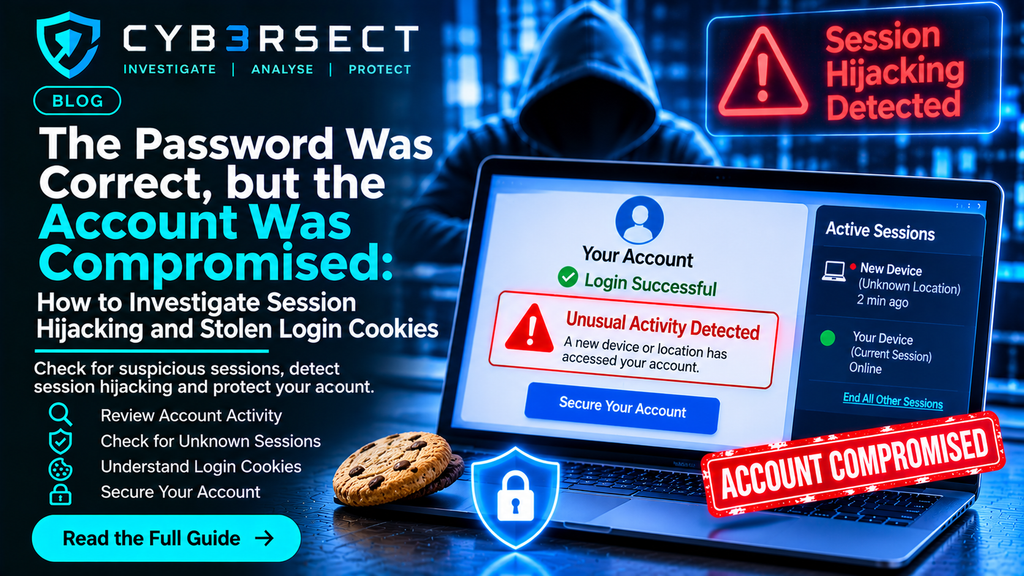
The Password Was Correct, but the Account Was Compromised: How to Investigate Session Hijacking and Stolen Login Cookies
You check your account activity and notice a login you do not recognise. The password has not changed. Your multifactor authentication may still be enabled. There is no obvious sign that someone has guessed your credentials.
Yet someone appears to have accessed your account.
One possible explanation is session hijacking.
Many websites allow users to remain signed in after entering their password. Instead of asking for credentials every time a page is opened, the service uses a session token, often stored in a browser cookie or another form of session storage, to recognise an authenticated user.
If an attacker obtains a valid session token, they may be able to access an account without repeating the normal login process. Depending on the service’s security controls, the attacker may bypass the password prompt and, in some circumstances, avoid triggering a new multifactor authentication challenge.
This can make session hijacking difficult to recognise. The account may show a successful login even though the legitimate user did not initiate it.
Investigating this type of incident requires more than changing a password. It involves examining account activity, browser evidence, device security, session records and the events surrounding the suspected compromise.
This guide explains how session hijacking works, how stolen login cookies may be involved, what evidence to preserve and how to investigate suspicious account access.
1. Understand What Session Hijacking Means
A session is the period during which a website recognises a user as authenticated.
After a successful login, a service may issue a session identifier or token. The browser or application then presents that token when making subsequent requests.
This allows the service to recognise the authenticated session without requiring the user to enter their password repeatedly.
Session hijacking occurs when an unauthorised person obtains or takes control of a valid session.
The attacker may obtain access through several possible routes, including:
- Malware that steals browser information.
- Phishing pages that capture authentication data.
- Compromised browser extensions.
- Insecure handling of session tokens.
- Exploitation of a vulnerability in a website or application.
- Unauthorised access to a device where a session is already active.
The exact method cannot be established from an unfamiliar login notification alone.
A proper investigation needs to determine whether the event involved a stolen token, compromised credentials, a trusted device, an authorised integration or another explanation.
2. What Are Login Cookies and Session Tokens?
Cookies are small pieces of information that websites store in a browser.
Some cookies are used for preferences, analytics or other website functions. Others support authentication and session management.
An authentication cookie may contain or reference a session identifier that allows the website to recognise an already authenticated user.
A session token is not necessarily the same thing as a password. It can function as proof that authentication has already occurred.
This is why a stolen session token can be valuable to an attacker.
Consider a simplified example:
- A user signs in to an online account.
- The website creates an authenticated session.
- The browser stores the relevant session information.
- Malicious software or another unauthorised method obtains that information.
- An attacker attempts to reuse the session.
Whether that attempt succeeds depends on the service’s design and security controls. Some systems bind sessions to additional signals, expire tokens quickly or require renewed authentication for sensitive actions.
An investigator should not assume that every browser cookie is an authentication token. The purpose and sensitivity of each relevant cookie must be established from the service and available technical evidence.
3. Recognise the Warning Signs of Possible Session Hijacking
Session hijacking does not always produce an obvious warning.
Some services notify users when a new device or location accesses an account. Others display only limited session information.
Warning signs worth investigating include:
- An unfamiliar active session.
- An account accessed from an unrecognised device.
- Unexpected account changes.
- Messages sent without the user’s knowledge.
- New recovery details.
- Unexpected password-reset activity.
- Unfamiliar connected applications.
- Changes to security settings.
- Unusual activity while the legitimate user was not signed in.
- Repeated session termination or unexpected logouts.
An unfamiliar location is not conclusive evidence of an attacker. VPNs, mobile networks, corporate gateways and inaccurate IP geolocation can make legitimate activity appear unusual.
The investigation should compare multiple indicators rather than treating one notification as proof.
4. Preserve Account Activity Before It Disappears
Account activity records can be essential when investigating unauthorised access.
Some services retain detailed login information, while others provide only a short history. Records may also become unavailable as older events expire.
Preserve the following where available:
- Login history.
- Active session lists.
- Device names and identifiers.
- IP addresses.
- Login timestamps.
- Security notifications.
- Password-reset emails.
- Multifactor authentication alerts.
- Connected application records.
- Changes to account recovery information.
- Records of messages or transactions made without authorisation.
Capture screenshots that show the account name, event details and timestamp.
Where a service allows account data to be exported, preserve the original export rather than relying only on screenshots.
Record the time zone associated with the displayed events. If a service uses UTC while the device displays local time, document the difference.
Do not attempt to access systems or accounts that do not belong to you. Investigations should use records that you own, are authorised to access or are lawfully provided by the relevant service.
5. Investigate the Device That Was Used to Access the Account
If an attacker obtained a session token from the user’s browser, the device may contain evidence of how that happened.
Review the computer or mobile device used during the relevant period.
Potential areas of examination include:
- Recently installed applications.
- Browser extensions.
- Unfamiliar downloads.
- Endpoint protection alerts.
- Suspicious browser behaviour.
- Unexpected startup items.
- Unrecognised processes.
- Recent system changes.
- Unusual security warnings.
A malicious browser extension, for example, may have access to information displayed in browser pages or other data depending on its permissions.
However, the presence of an unfamiliar extension does not automatically prove that it stole a session token.
An investigation should establish when the extension was installed, what permissions it had, whether it was active during the incident and whether supporting evidence links it to the suspected access.
If the device may be compromised, avoid using it to enter new passwords or access sensitive accounts until it has been assessed.
6. Examine Browser Extensions and Downloaded Files
Browser extensions can provide useful investigative leads.
Review extensions that were installed or updated near the time of the suspicious activity.
Record:
- Extension name.
- Publisher.
- Installation date, where available.
- Version.
- Requested permissions.
- Browser profile in which it was installed.
- Whether it was enabled during the incident.
- Any relevant security alerts.
Also examine downloaded files that may have arrived through phishing emails, websites or messaging applications.
Potentially relevant files may include installers, compressed archives, scripts and documents.
Do not open suspicious files simply to see what they do. Preserve them safely and seek appropriate technical analysis if necessary.
If a file is suspected of containing malware, its hash value and available security detections may help compare it with known samples. A matching detection can provide an investigative lead, but it should be interpreted alongside other evidence.
7. Check for Phishing That May Have Captured the Session
Session hijacking and credential theft can overlap.
An attacker may first use a convincing phishing page to capture login information. In other cases, a phishing technique may attempt to obtain an authenticated session rather than merely collecting a password.
Review emails, text messages and other communications received before the suspicious account activity.
Look for:
- Messages claiming that an account needs urgent verification.
- Links that imitate a genuine service.
- Unexpected login prompts.
- Requests to approve an unfamiliar sign-in.
- Attachments presented as security updates.
- Messages asking users to install browser extensions.
- Unusual authentication notifications.
Preserve the original messages and their metadata where possible.
Do not click suspicious links again to test them. Record the URL as it appeared in the message and examine it using an appropriate, safe investigation process.
For email-related evidence, Cyb3rsect’s Email Forensics resources provide additional context on examining suspicious messages and their technical details.
8. Examine IP Addresses and Device Information Carefully
Account security pages may show IP addresses, approximate locations, device names or browser information.
These details can help compare known and unfamiliar sessions.
However, IP geolocation is not a reliable way to identify a person. An IP address may belong to a VPN, mobile carrier, business network, hosting provider or shared connection.
A device label may also be incomplete or inaccurate.
When examining account access, compare:
- IP addresses.
- Event timestamps.
- Browser types.
- Operating system information.
- Device identifiers.
- Session duration.
- Known user activity.
- Changes in account behaviour.
The aim is to identify patterns and discrepancies, not to make an unsupported attribution.
An IP address may help establish where a connection appeared to originate, but additional evidence is normally needed to identify who controlled it.
9. Determine Whether Multifactor Authentication Was Bypassed
Multifactor authentication (MFA) adds another verification step to the login process.
It may involve an authenticator application, security key, device prompt, text message or another method.
However, MFA does not prevent every type of account compromise.
If an attacker obtains an already authenticated session, the service may not request a new MFA challenge for every subsequent action.
Investigate whether:
- An MFA challenge occurred during the suspicious period.
- The user received an unexpected approval request.
- A new authentication method was registered.
- Recovery information was changed.
- An unfamiliar device became trusted.
- The service issued a new session after authentication.
- Sensitive actions required additional verification.
Do not assume MFA was defeated simply because an account was accessed unexpectedly. The attacker may have used a compromised password, a trusted device or another access method.
Preserve authentication notifications and account security records to help establish what occurred.
10. Investigate Changes Made After the Account Was Accessed
The actions performed during a suspicious session may be more important than the initial login.
Once an attacker has access, they may attempt to change account settings, create persistence or use the account to target other people.
Review relevant activity for:
- New recovery email addresses.
- Changed phone numbers.
- New forwarding rules.
- Unfamiliar connected applications.
- New API keys or access tokens.
- Modified security settings.
- Unauthorised messages.
- New payment beneficiaries.
- Cryptocurrency withdrawals.
- Changes to account permissions.
For business accounts, investigate whether the session was used to access shared documents, cloud storage, customer information or administrative functions.
For more complex incidents, cloud account records may also be relevant. Cyb3rsect’s Cloud Account Forensics page provides further information about examining digital activity associated with cloud services.
11. Secure the Account and Revoke Suspicious Sessions
If unauthorised access is suspected, account protection should begin promptly.
From a trusted device:
- Change the affected account password.
- Sign out of all other sessions where the service provides that option.
- Revoke unfamiliar connected applications.
- Review recovery email addresses and phone numbers.
- Remove unrecognised authentication methods.
- Enable or reset multifactor authentication.
- Review forwarding rules and account permissions.
- Check other accounts that used the same password.
- Contact the service provider if suspicious activity continues.
Changing the password alone may not invalidate every existing session. Use the service’s session-management controls where available.
If the device itself may be compromised, secure accounts from a different trusted device and arrange an appropriate technical assessment.
12. Preserve Evidence Before Resetting the Browser or Device
Clearing browser data, deleting extensions or resetting a device may remove records that could help explain the incident.
Before making major changes, consider preserving:
- Browser and extension details.
- Relevant application records.
- Account security notifications.
- Available session information.
- System security logs.
- Relevant downloads.
- Suspicious email messages.
- Device security alerts.
- Financial transaction records.
The available evidence depends on the browser, operating system, service and retention settings.
Some session information may be stored in protected browser databases or other locations that require specialist forensic examination.
Do not attempt to copy or reuse authentication cookies as a test. Doing so can create additional security risks and may interfere with an investigation.
A qualified forensic professional can help determine what evidence can be preserved and examined without unnecessarily changing the original device.
Cyb3rsect’s guide to digital evidence preservation explains the importance of preserving original records and documenting investigative actions.
13. Build a Timeline of the Suspected Compromise
A timeline helps connect the user’s normal account activity with the suspected unauthorised session.
| Event | Evidence to preserve |
|---|---|
| Last known legitimate login | Account activity and device records |
| Suspicious email or message received | Original message and metadata |
| Unexpected login notification | Security alert and timestamp |
| Unrecognised session appears | Session details and IP information |
| Account settings change | Security and account activity records |
| Unauthorised messages or transactions occur | Message history and transaction records |
| Incident discovered | Screenshots and user notes |
| Security response begins | Password changes and session revocation records |
Where possible, compare the timeline with device activity and network records.
This may help determine whether suspicious access followed a phishing interaction, an application installation or another event.
A timeline should distinguish confirmed events from estimates and assumptions.
How Cyb3rsect Can Help Investigate Session Hijacking
Session hijacking investigations can involve several connected sources of digital evidence.
Account activity may reveal unfamiliar sessions. Browser records may identify suspicious extensions or downloads. Email records may show how an attacker contacted the user, while device and security logs may help establish what happened before and after the suspected compromise.
Cyb3rsect focuses on digital forensics, cyber investigations and online fraud intelligence.
Depending on the available evidence and agreed scope, an investigation may involve:
- Reviewing suspicious account access and session activity.
- Examining available browser and device records.
- Assessing suspicious extensions and downloaded files.
- Reviewing phishing emails and related communications.
- Examining available cloud account activity.
- Comparing login events with known user activity.
- Reviewing unauthorised account changes.
- Building a chronological record of the incident.
- Identifying technical inconsistencies and investigative leads.
- Preparing a structured report of findings and limitations.
Not every service retains detailed session information, and not every stolen token leaves recoverable evidence on the affected device.
The objective is to establish what can be verified, identify what remains uncertain and preserve the information needed for appropriate next steps.
Final Thoughts
A correct password does not necessarily mean an account is secure.
If someone obtains an authenticated session, they may be able to access an account without repeating the normal login process. This is one reason why suspicious account activity should not be investigated through password changes alone.
Review active sessions, examine account changes, check the device for suspicious software and preserve relevant records before resetting or clearing anything.
The most important questions are how the session was obtained, what access it provided, what activity followed and which findings can be supported by evidence.
For digital forensics, account investigations and online fraud intelligence, visit Cyb3rsect.
